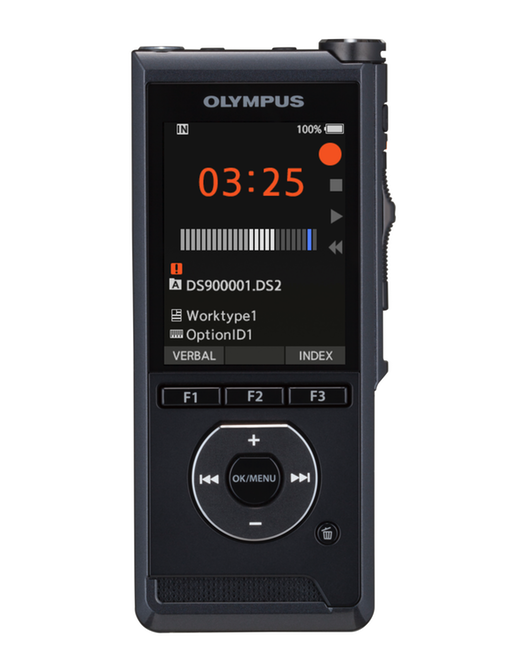
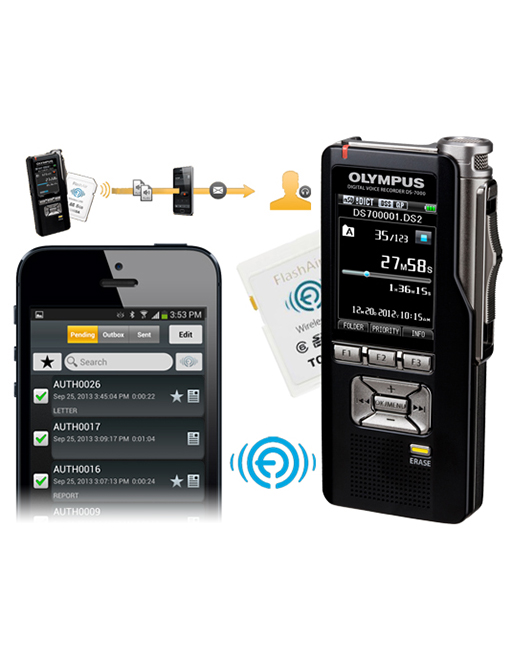
Olympus DS-3400 is an advanced professional digital recorder stacked with premium features and enhanced DSS Player Pro Dictation software for outstanding performance. It's designed inside and out to provide you with all the conveniences you need for easy, flexible and productive dictation.
Recorders.com Staff Favorite for the Medical Industry
The Olympus DS-3400 Dictation Recorder is perfect for the medical, legal, and/or professional user that want an easy to use single had operation unit that allows for file editing, and quick access to information.
Key Features
Push Button Operation
This device features push-button operation for improved workflow and ease of use
3 Programmable Buttons
Provides customized functions to suit your dictation needs. The recorder firmware can also be programmed for additional functionality and flexibility.
Easy Editing
Allows for easy editing of existing recordings by appending, overwriting, inserting, and erasing or partial-erase of recording.
DSS Compatible
DSS Player Pro Software is Windows and Apple Macintosh compatible. DSS Player Pro software provides direct recording to your PC, automatic retrieval of typed documents, automatic distribution of recordings via email, and much more.
DS-3400 Additional Features
Records in DSS
Records in DSS: (Digital Speech Standard) format, developed primarily to meet dictation and transcription needs.
Compact and Durable
Compact design and light metal finish combine for a recorder with a professional look and feel and large easy to read LCD with backlight. Designed to withstand the heavy usage of the professional user. Durable switches and connectors of the DS-3400 are designed to eliminate or minimize the down time.
Flexible
Choose between two combinations of recording modes, SP or LP, and recording sensitivity, Dictate or Conference, to suit your recording needs.
Voice-Activated
The DS-3400's automatic voice activation keeps recordings free from dead space and saves recording capacity and time during transcription.
Professionals Choice
Up to 10 users ID's and 10 Work Types can be programmed on the recorder to support user environment where recorders are exchanged amongst professionals
Transcription Folders
The DS-3400 recorder can categorically classify and store recording in any of the 7 different folders that can be programmed on the recorder. Each folder can store up to 200 messages per folder.
Centralized Firmware
Centralized firmware update for easy updates. Plus Low power consumption allows for long recording times.
Easy to Use
Centralized navigation buttons for easy data input and settings.
Automated
When the DS-3400 is left unused and in stop mode for a set amount of time, it will automatically shut itself off.
Comments
Verbal comment function. Instantly search and play back verbal comments using DSS Player software.
USB Connectivity
Can be used as a USB microphone or USB speaker.
Security Features
Protecting the confidentiality and security of recordings is essential in the workplace. For this reason, the DS-3400 offers file encryption and device password protection.
Software Features
DSS Compatible
Improved DSS Player Pro software provides automatic download and backup of recordings; automatic distribution of recordings via email or FTP to other users; direct recording onto your PC; managing and changing settings on your recorder; playing and editing of recordings on your PC; and automatic retrieval of typed documents and much more.
Improved Transfer time to PC
The DS-3400 transfer rate of dictation from the recorder to PC or vise versa has been improved to reduce time spent waiting for the transfer process to finish.
Synchronizes with the PC
The DS-3400 will automatically synchronize its clock with your PC using the DSS Player Pro Dictation software.
Suppports Encryption
The DSS Player Pro Dictation software supports encryption of dictations before sending as email attachments or via FTP.
Hands-Free
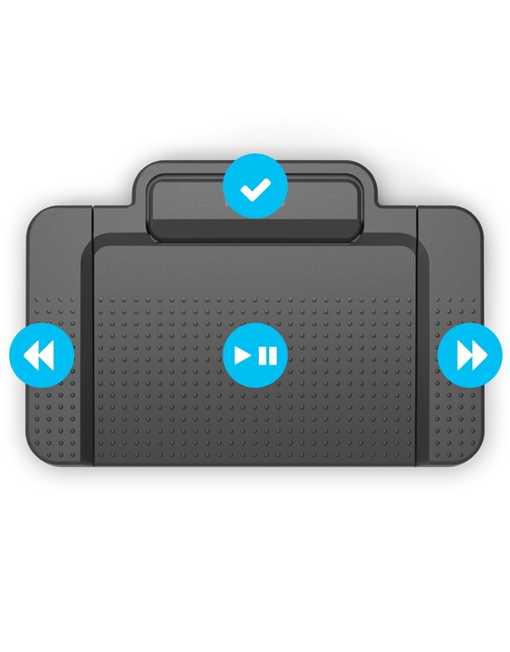
The DS-3400 supports hands-free recording with the optional RS-25 footswitch. Connect the RS-25 to the cradle, place the recorder in the cradle and you are ready to go.
Organizational Tools
Multi-level alarms can be enabled and set to meet various needs.
Customizable
Splash screen automatically displays default time of day greeting when DS-3400 is turned on, or you can program your own greeting (up to 20 characters).
PC Requirements -- Minimum
Compatible with Windows 2000 Professional Service Pack4
Windows XP Professional/XP Home edition Service Pack2
Windows XP 64-bit
Windows Vista Ultimate/Enterprise/Business/Home Premium/Home Basic
Windows Vista Ultimate 64-bit edition/Enterprise 64-bit edition/Business 64-bit edition/Home
Windows 7 compliant
Premium 64-bit edition/Home Basic 64-bit edition
Windows Server 2003
Windows Server 2003 x64 edition
Mac OS 10.3.9 - 10.5
Questions
Q: What is the difference between the Olympus DS-5000 and DS-3400 Professional Dictation recorder?
A: The DS-5000 is Slide Switch Operated (Single hand operation) where as the DS-3400 is Push Button Operated. In addition, the DS-5000 includes the Olympus BR-403 Rechargeable Batteries and Download CR-10 Cradle/Docking Station. These accessories are sold separately for the Olympus DS-3400. Note they are not included in the package contents.
Shop with 100% Confidence!
Recorders.com is an Authorized Olympus PRO Audio Dealer and carries their Professional Authorized Dealer status. Our service and pricing is second to none.
Buying from the leading supplier now has more advantages than ever - better service, better support, better price, FASTER SHIPPING and a better selection of products. We offer a complete line of award winning Olympus dictation and transcription solutions, accessories and conference recording systems.
Advanced Replacement Warranties
We back our Pro-line hardware products with full replacement warranties, why be without equipment when you can have a brand new unit in your hands within days not weeks. Only at Recorders.com - No one does it better!
Also Available
Accessories -- See a complete line of compatible Olympus products from PC Transcription Kits to replacement batteries, we got you covered. Our Available Accessories section highlights the most popular add-ons and provides a list of replacement products.